Skip to content
Top Menu
January 24, 2026
  • Privacy Policy
  • Affiliate Disclaimer
  • About this website
  • About the author
  • Contact
RealLinuxUser.com

RealLinuxUser.com

  • Home
  • Tutorial Series
    • Linux Mint tutorials series
    • RapidRAW tutorial series
    • Thunderbird tutorials series
    • Joplin tutorial series
    • appflowy tutorial series
    • Mini Review
    • darktable tutorials series
    • Davinci Resolve tutorials series
    • command line tutorial series
  • How to articles
  • Categories
    • News
    • Audio
    • Backup
    • Business
    • Communication
    • Education
    • Games
    • Graphics
    • Internet
    • Photography
    • Productivity
    • Tools
    • Video
  • Book
  • Store
  • Info
    • Contact
    • About John
    • About this website
    • Privacy Policy
    • Affiliate Disclaimer
    • My Gear
Main Menu

Communication

Main image Linux Mint 21.3 Tutorial Series

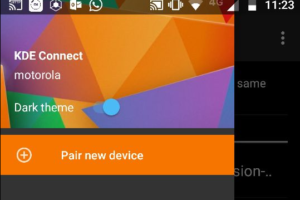
How to Connect your mobile phone to Linux Mint with KDE Connect – Linux Mint 21.3 edition

March 17, 2024March 17, 2024 - by John Been

How to disable threaded conversations in Thunderbird

July 8, 2023April 7, 2024 - by John Been

How to get email done with BlueMail for Linux

January 3, 2021January 3, 2021 - by John Been

My 35 most favorite Linux applications in 2019

December 23, 2019December 24, 2019 - by John Been

Geary 3.32 email app for Linux has been released

March 19, 2019March 19, 2019 - by John Been

What are the best alternatives to Adobe products for Linux

November 3, 2018October 4, 2019 - by John Been

Franz offers effective messaging integration for Linux

October 5, 2018January 11, 2020 - by John Been

How to install and setup KDE Connect in Linux

September 1, 2018 - by John Been

New release of Telegram with some changes for the Linux desktop app

August 28, 2018 - by John Been

How to solve Geary Gmail security issue

August 20, 2018 - by John Been

Lightweight, high quality and user friendly mail app Geary

August 10, 2018 - by John Been
ContactRSS

Switching from Windows 10 to Linux? Have a look at my extensive but beginner friendly Linux book!

You use windows 10 and now you doubt if Linux is something for you? I have written Linux for the rest of us - my starter guide for all of you who just want to be productive with your Linux system. This 360 page book is available in Paperback and Kindle format. Click on the image below to see for yourself. Or maybe you want to have some information first.

Switching from Windows 10 to Linux? Have a look at my extensive but beginner friendly completely free Linux Mint Tutorial Series

You want to learn all the basics on Linux Mint? I have written a complete free of charge tutorial series for all of you. Just click the image below.

Main image Linux Mint 21.3 Tutorial Series

GET MY BOOK!

Switching from Windows 10 to Linux? Have a look at my extensive but beginner friendly Linux book!

You use windows 10 and now you doubt if Linux is something for you? I have written Linux for the rest of us - my starter guide for all of you who just want to be productive with your Linux system. This 360 page book is available in Paperback and Kindle format. Click on the image below to see for yourself. Or maybe you want to have some information first.

Contact

Go to the contact page

RSS

https://reallinuxuser.com/feed/

Copyright © 2026 RealLinuxUser.com.
Powered by WordPress and HitMag.

You want to switch from Windows 10 to Linux?

Then my comprehensive but beginner-friendly Linux book is definitely something for you!

You currently use Windows 10, but in October 2025, Microsoft will stop supporting your Windows 10 operating system. You prefer not to buy a completely new system, so what should you do next?

My book, “Linux for the Rest of Us,” is designed for anyone looking to transition to Linux easily so they can continue using their computer productively after Microsoft ends support for Windows 10. The book provides a logical and friendly step-by-step approach for users who may not be interested in deep technical details but want to understand, set up, and use their new Linux system effectively.

My 360-page book is available in Paperback and Kindle format. Click on the image to see for yourself. Or maybe you want to have some information first.

No AI, just a nice handwritten book by the owner and writer of your trusted RealLinuxUser.com