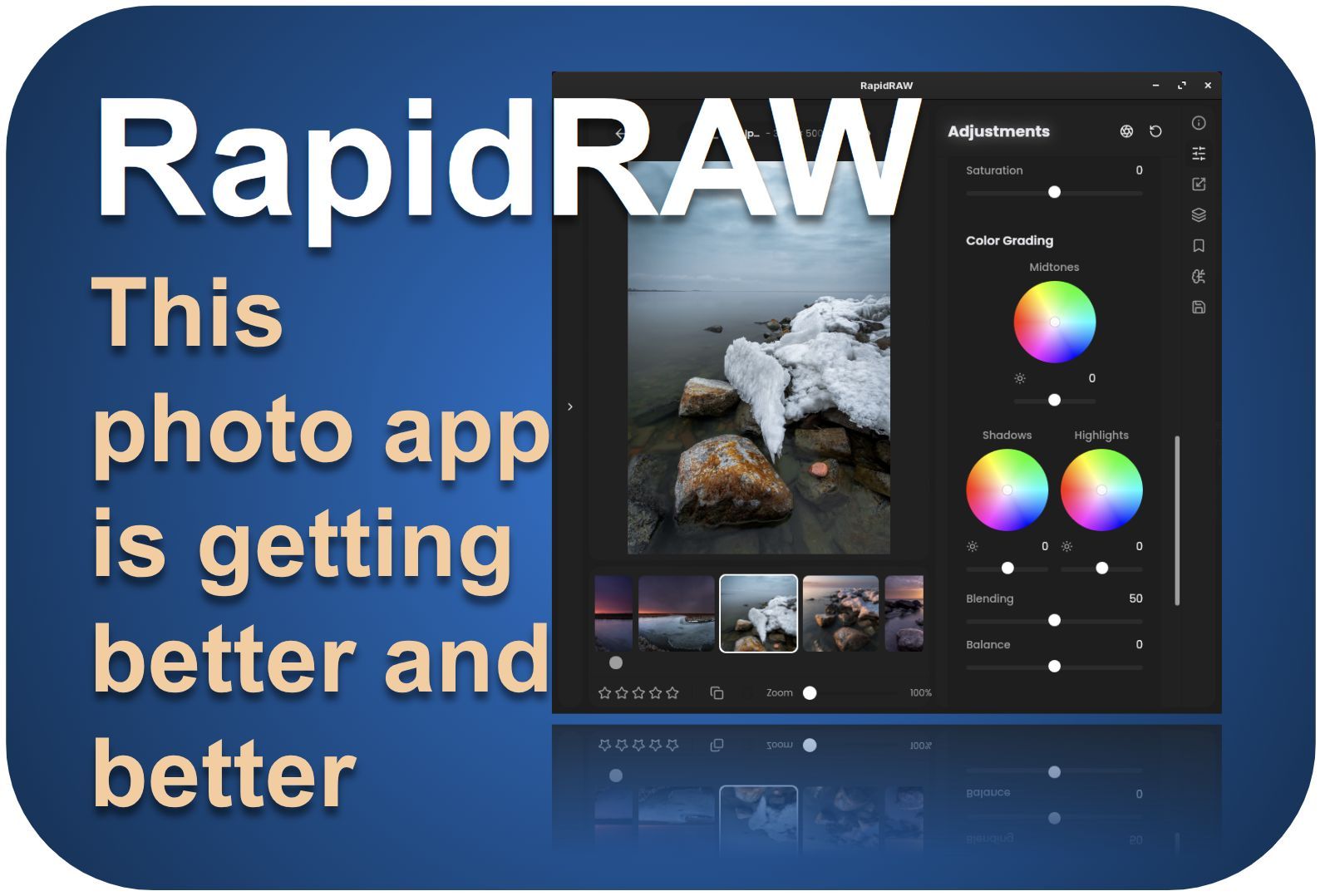
As a photography enthusiast and someone interested in photo editing applications, I am always very curious about the developments around the relatively new RapidRAW application. So, I am keeping an eye on the RapidRAW release page on GitHub from time to time. The last time I wrote an article about the most recent changes was last August, so I think it is time to have a look at what has been added and changed since then. Well, it is a lot. In this article, I’ll look at the changes and improvements in RapidRAW from release 1.3.10 to the most recent 1.5.1.
Content of the article
- Introduction
- All the changes and improvements
- Processing engine and integration
- User Interface
- Photo organization and culling
- Metadata and other information
- Presets and LUTs
- Artificial Intelligence
- Generic editing support
- Color management and editing
- Exposure management and editing
- Masking
- Optical corrections
- Other Improvements
- Final words
Introduction
In my view, RapidRAW has evolved at an astonishing pace. It now offers a wider range of tools, smarter workflows, and a level of refinement that makes the application feel more capable and polished than ever. A quick look at Timon Käch’s GitHub page shows just how much passion and enthusiasm drive this project forward.
One of the first improvements you will notice is the enhanced handling of LUTs, now processed with higher‑quality interpolation to reduce banding. Exporting has become more predictable as well, with estimated file sizes and reusable export presets. And don’t forget a new preset‑sharing hub that allows you to share your favorite looks, but also try those from others.
Editing tools have seen major upgrades. Exposure has been split into clearer controls, AgX tone mapping introduces a more film‑like look, and many core adjustments, local contrast, HSL luminance, vibrancy, grain, and tonal recovery have been rebuilt for more natural behavior. New creative effects like Glow, Halation, and Lens Flare expand the stylistic possibilities, while a dedicated Color Calibration panel offers finer control over primary hues.
Masking has undergone great improvements, with sequential processing, drag‑and‑drop ordering, per‑mask opacity, real‑time overlays, and a new Whole Image mask type. Presets can now be applied directly to masks, and the new Centré adjustment provides an easy way to subtly emphasize the frame’s center.
Organizational features and performance have also improved, from keyword tagging and XMP syncing to faster previews, smoother navigation, and a rewritten rendering engine.
Altogether, RapidRAW has, in my opinion, become faster, more intuitive, and more powerful.
This was just the short summary. So, let’s have a look in more detail.
Here you can find my other articles on RapidRAW:
All the changes and improvements
Here a complete and detailed overview of everything that happened from version 1.3.10 till the most recent 1.5.1.
Processing engine and integration
RapidRAW’s latest update brings a more capable and better‑integrated experience across the board, starting with a new processing engine settings panel that lets you choose your preferred backend and even enables a Linux GPU compatibility mode for extra stability. Integration with your operating system has also improved, allowing you to open images in RapidRAW directly from your file manager’s context menu. Behind the scenes, a redesigned RAW preprocessing algorithm now delivers cleaner color handling and finer detail, particularly noticeable with Fujifilm X‑Trans files, while a fully rewritten rendering engine introduces both dynamic and static preview modes for sharper output, smoother performance, and long‑awaited fixes to persistent zoom issues.
User Interface
The latest interface improvements make RapidRAW feel cleaner and more intuitive, starting with the option to hide advanced tools you don’t need every day, helping the workspace stay focused and uncluttered. Helpful global tooltips now appear when you hover over controls, making it easier to understand what each adjustment does. Undo and redo actions have also become more flexible thanks to a new dropdown history list that lets you jump directly to earlier states. Performance gets a noticeable boost in large libraries as the filmstrip now renders only what is actually visible, keeping navigation smooth even with thousands of images. And when you switch to full-screen mode, RapidRAW now uses the main viewport while keeping all editing controls accessible, making it far more practical for detailed reviewing and editing.
Photo organization and culling
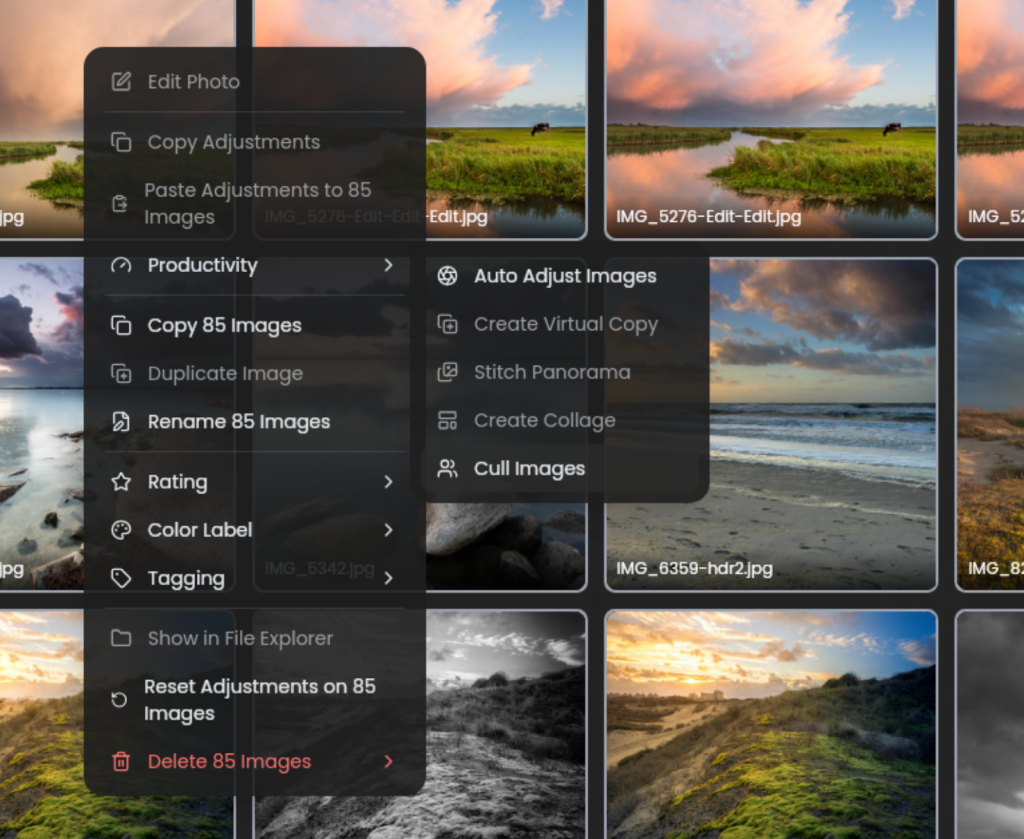
RapidRAW’s organizational and culling tools have taken a big step forward, starting with new auto‑culling capabilities that scan selected images for duplicates or soft shots so you can flag or remove them in batches. The built‑in collage maker has also grown into a more flexible creative tool, offering multiple layouts along with controls for spacing, corner radius, and background color, and now supports drag‑and‑drop placement, aspect‑ratio locking, and zoom or pan adjustments. To streamline everyday navigation, you can pin frequently used folders to a dedicated sidebar section, apply manual or AI‑suggested keyword tags with quick‑access shortcuts, and use the new folder‑tree search bar to jump directly to the directory you need. Large collections benefit from a recursive library view that displays images from a folder and all its subfolders in one optimized grid, while culling feels smoother thanks to a deletion workflow that no longer triggers a full library reload.
Metadata and other information
RapidRAW now handles metadata more clearly and reliably, starting with an estimated file‑size preview before export so you can strike the right balance between quality and output size. The library can be sorted by EXIF fields such as ISO, aperture, or focal length, which makes navigating large collections much easier, and metadata itself is displayed more cleanly and saved more consistently during export. EXIF handling has been centralized with improved support for formats like RAF and CR3, and RapidRAW now reads and writes XMP sidecars for ratings, labels, and tags, ensuring smooth compatibility with other editors and asset‑management tools.
Presets and LUTs
A universal preset importer now lets you bring in presets from other editors. While the conversions are not perfect matches, they offer a solid foundation to build from. A new community‑sharing hub has been introduced where users can exchange their favorite looks, complete with several starter presets already uploaded by the developer. LUT handling has also been expanded, allowing you to load formats like .cube, .3dl, and common image types directly into RapidRAW, making LUT‑based editing much more accessible. Smoother color transitions are now ensured through tetrahedral interpolation. Finally, you can save your export configurations as reusable presets, making it easier to maintain consistent output across your projects.

Artificial Intelligence
RapidRAW’s AI features have matured significantly, beginning with a revamped generative workflow that delivers higher‑quality inpainting results at the original resolution while simplifying installation to just one custom node. The interface now also reflects the long‑term AI roadmap, including room for an optional future cloud service. ComfyUI integration has been made far more approachable. It allows you to choose your preferred inpainting workflow or you can rely on the built‑in option. You can map the models you want to use, and clearly see which custom nodes are required. RapidRAW takes care of scaling, mask creation, patching, and saving, making AI‑powered edits feel seamless. Under the hood, a new AI connector improves caching, workflow handling, and overall performance with the flexibility for independent updates. You can even define your own keywords and let the AI automatically tag images based on them, making organization faster and more intuitive.
Generic editing support
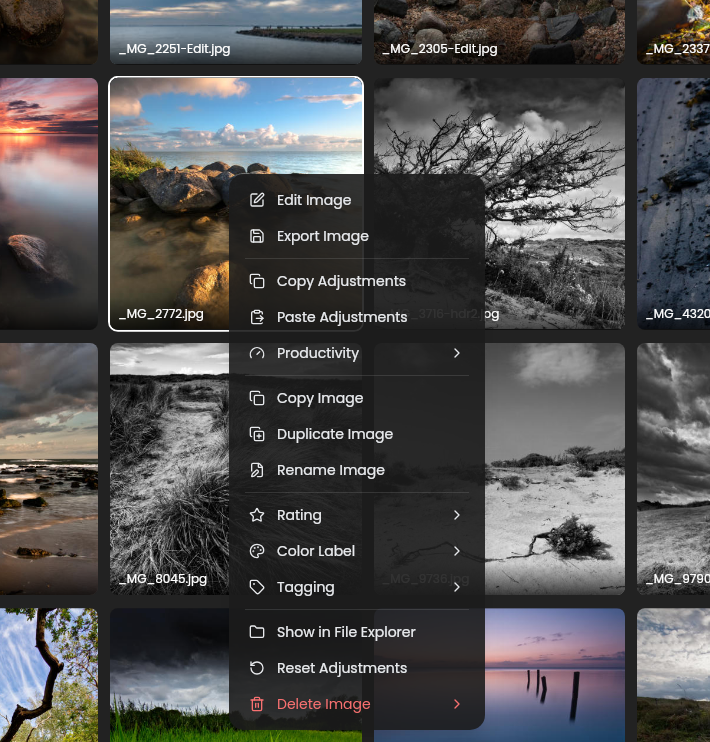
On the editing side, a major GPU engine rewrite enables real‑time live previews as you drag sliders, making adjustments feel immediate and responsive. RapidRAW’s general editing tools have become more flexible and efficient, starting with the ability to selectively copy adjustments between images and decide whether they should merge with existing edits or fully replace them. You can now create virtual copies to explore different editing directions without duplicating files. Film photographers will appreciate the new one‑click negative conversion for accurate inversion of scanned film. Multiple exposures can be combined into a single HDR image, expanding the creative possibilities for high‑contrast scenes. And for those moments when you really need to inspect fine detail, maximum zoom now shows true, un‑interpolated pixels, giving you an accurate view of what’s actually in the file.
Color management and editing
RapidRAW’s color management and editing tools have seen a major overhaul, beginning with a dedicated chromatic aberration correction tool to clean up color fringing along high‑contrast edges and a new color calibration panel that gives you direct control over the hue and saturation of the primary RGB channels for more precise work than traditional HSL adjustments. Local contrast tools such as Sharpness, Clarity, and Structure have been rebuilt to behave more predictably without causing exposure shifts, and a new Centré adjustment subtly boosts clarity, brightness, and contrast toward the center of the frame to help draw attention to your subject. The introduction of AgX tone mapping brings a more filmic, controlled color response. The reworked HSL luminance controls now avoid artifacts and produce smoother transitions. Vibrancy has been further refined to better protect skin tones. A new BM3D‑based denoising tool offers significantly improved noise reduction while preserving fine detail. A white balance picker now lets you set temperature and tint by clicking a neutral point, and the grain engine has been rebuilt to generate natural, monochromatic noise without repeating patterns. Local contrast adjustments have also been redesigned to eliminate the “black hole” artifacts that sometimes appeared around edges. For tonal work, curves now support flat‑line clipping by dragging the endpoints horizontally for precise black and white control. Creative effects like glow, halation, and lens flare add new stylistic options, while a rendering bug fix ensures Sharpness and Clarity behave independently. Finally, detail‑aware masks help shadows and highlights retain texture, giving you more control when shaping the tonal balance of your images.

Exposure management and editing
RapidRAW’s exposure tools have been refined to give you more control and clearer feedback, starting with new optional clipping warnings in the Curves panel that highlight blown areas in red and underexposed regions in blue. The Exposure and Highlights sliders have been redesigned to produce more natural, balanced results without the dulling or over‑brightening that could occur before. To make adjustments even more intuitive, the exposure system has been split into two dedicated sliders, which are Exposure for true exposure compensation and Brightness for shaping the mid‑tones. This gives you a cleaner, more predictable way to fine‑tune the overall look of your images.
Masking
RapidRAW’s masking tools have been completely reworked to feel more powerful and intuitive, starting with the ability to apply presets directly to masks for much faster targeted adjustments. A new whole‑image mask type provides a convenient base layer for more complex setups, and masks now stack properly without resetting previous work. The entire system has been redesigned around sequential processing, drag‑and‑drop ordering, and per‑mask opacity controls, giving you far more flexibility when building layered edits. Mask creation itself feels fluid thanks to real‑time overlays that update instantly, and you can draw new masks directly where you want them, making the whole workflow smoother and more responsive.

Optical corrections
RapidRAW’s optical correction tools have expanded with a new geometry‑warping module that helps fix perspective and alignment using dynamic guide lines, along with a fine‑rotation grid that appears during subtle adjustments for more precise control. You can now save your favorite lenses for quick access, and Lensfun integration brings proper optical corrections (though the developer notes that some refinements may still be needed and welcomes feedback from users with deeper expertise on the topic). Framing is easier as well, thanks to new composition guide overlays that offer more options when cropping and refining your shot.

Other Improvements
RapidRAW has also received a long list of smaller but meaningful refinements that together make the application feel smoother, more stable, and even nicer to use. For example, switching folders now cancels any ongoing thumbnail or indexing tasks, preventing the slowdowns that previously occurred on some systems. Thumbnail handling in general has become more fluid, with smoother updates in both the filmstrip and library view, and the thumbnail cache now refreshes automatically when changing folders. The application is faster because of preloading images in the library to optimize loading times.
Several technical upgrades contribute to better performance and reliability. The RapidRAW project has migrated from Rust 2021 to Rust 2024, and all dependencies have been updated. These changes translate into faster loading times, more responsive previews, and improved stability. Further, a separate preview worker, high‑quality live previews, and caching for masks and AI patches help the interface stay responsive even under heavier workloads.
Shader optimizations have been applied. Color and tonal tools have also been refined. The HSL panel is now more accurate, the inverted tint slider has been corrected, and local contrast adjustments have been tuned to be less aggressive.
The sepia theme and dark theme have both been improved for better visual clarity, and the overall user interface consistency has been optimized through standardized slider styles and general interface polishing.
Metadata handling has seen notable upgrades as well. Metadata parsing is now much faster. EXIF interface shows more details when hovering over filenames. New “Prefer RAW” filter has been implemented. Rawler, the RAW loading library, has been updated and integrated as a submodule, bringing support for additional cameras and LinearRAW DNG files.
Navigation and editing feel more fluid thanks to smoother image switching, improved zooming behavior, smoother exponential zooming, and better state memory, so it remembers your previous zoom level. Tools like the brush now support straight‑line strokes using Shift + Click, and the quick eraser has been fixed. Lens detection has been improved through better Lensfun parsing, and lens correction now includes automatic cropping to hide edge artifacts.
Other enhancements include mask feathering fixes, a more robust LUT parser, the ability to export masks as separate files, real‑time histogram sliders updates, batch negative conversion, so you can convert negative film scans in batches, and improved crash handling. Combined with numerous bug fixes and UI cleanups, these updates make RapidRAW feel faster, more stable, and more refined across the board.
That was a lot…
Final words
When you consider all these adjustments, additions, and improvements were implemented within a period of approximately 6 months since my previous review, it is clear that the developer of this fantastic photo application has not been sitting still. With this enormous list of important improvements, the RapidRAW application is rapidly (no pun intended) becoming a very important application for us Linux users and photo enthusiasts. RapidRAW has become a highly capable photo editor that balances performance, usability, and creative flexibility. No matter what use case you use RapidRAW for, all these major and minor improvements are making this application an increasingly important player in the open-source photo world. I really can’t wait for what is coming next, but I trust that many more exciting and great features are yet to come. As a photo lover and Linux user, you absolutely must install the latest version of RapidRAW on your machine. But also for Windows and macOS users, I advise you to try it out.
Have a look at my latest book on Linux, in Paperback or Kindle format.
For more info on my book click here.
When you want to buy the book click on the image below.
If you appreciate what I do on this website…,